


Hello Dear Friends of Joint Ops,
You start the game, open the lobby… and nobody is there. Next day somebody tells you: “Man, yesterday we had a great game!” We all know this. Now it is over.
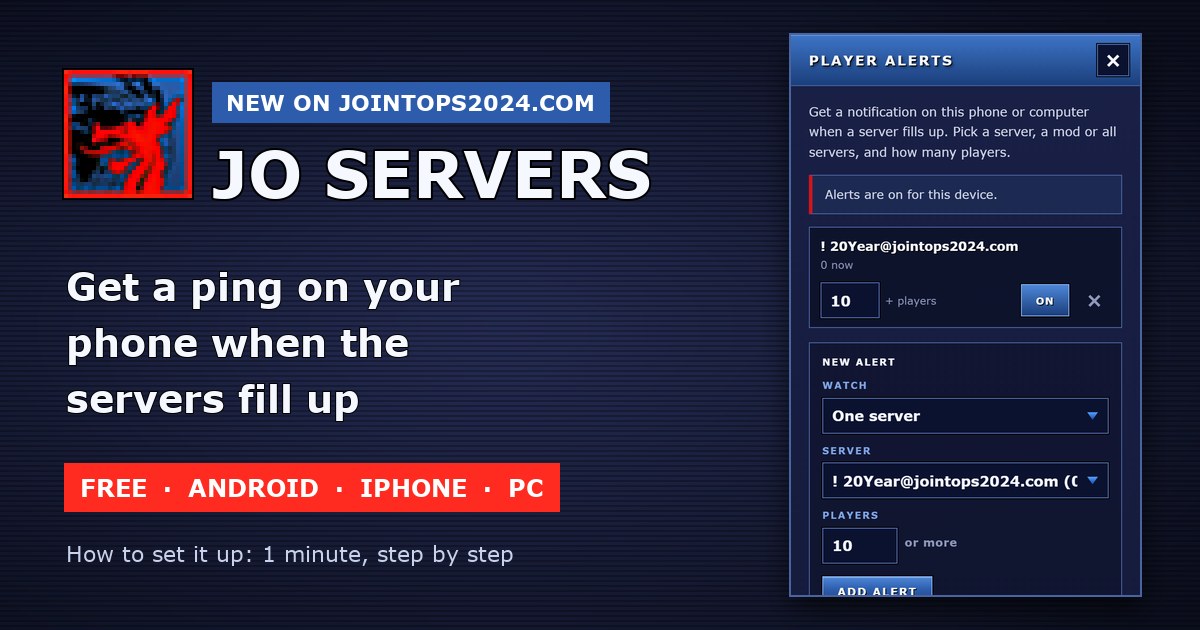
Our server list can now ping you. You pick a server and a number of players. When the server gets there, your phone or PC shows a message, and you jump in.
Free. No account. No e-mail. Takes 1 minute.
Step 1: Open the server list
On your phone or PC, open jointops2024.com/live-players-overview, or click SERVERS in the menu.
Step 2: Install the app
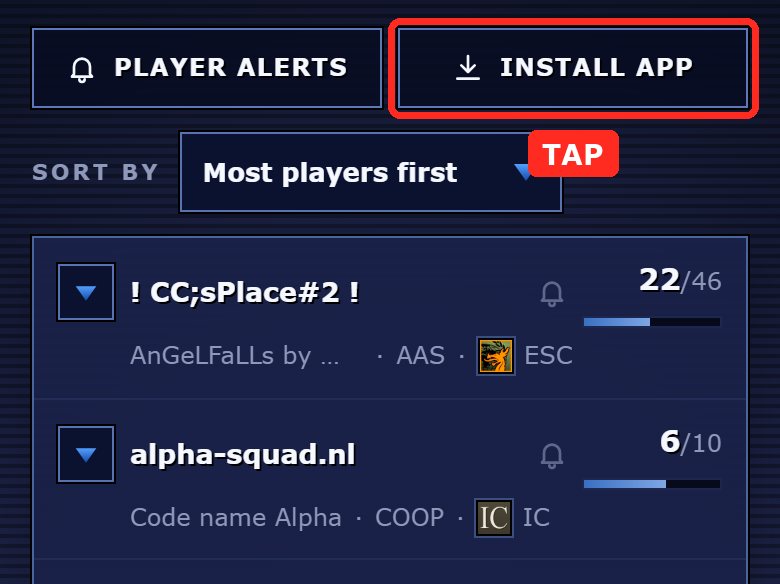
Android phone or PC (Chrome or Edge): tap INSTALL APP, then Install. Now you have a JO Servers icon, like any other app.
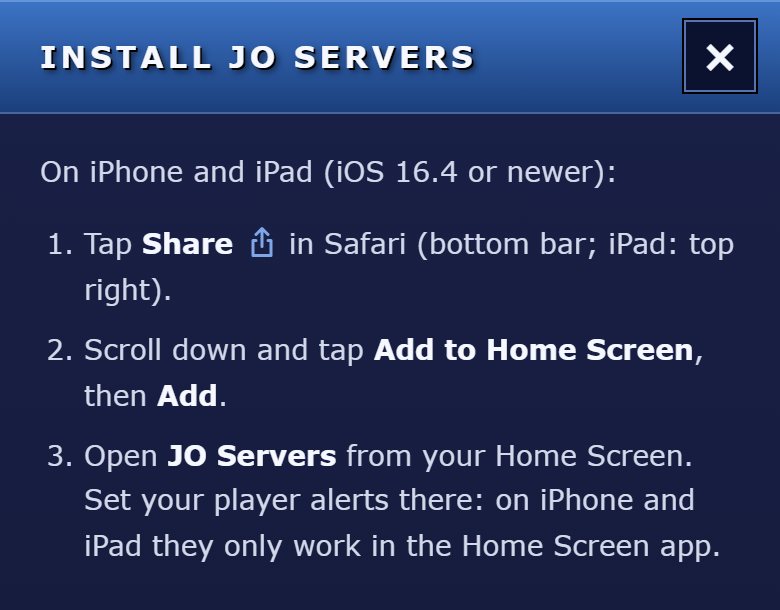
iPhone or iPad: here you must install it, or the pings do not work.
- Open the page in Safari.
- Tap the Share button (the square with the arrow up).
- Tap Add to Home Screen, then Add.
- Close Safari. Open JO Servers from your Home Screen and do the next steps in there.
No time to install? On Android and PC the pings also work in the normal browser. The app is just nicer.
Step 3: Tap the bell
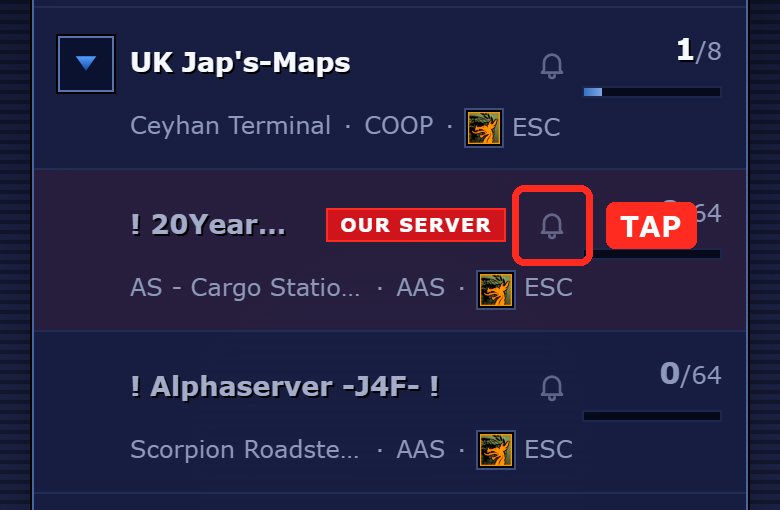
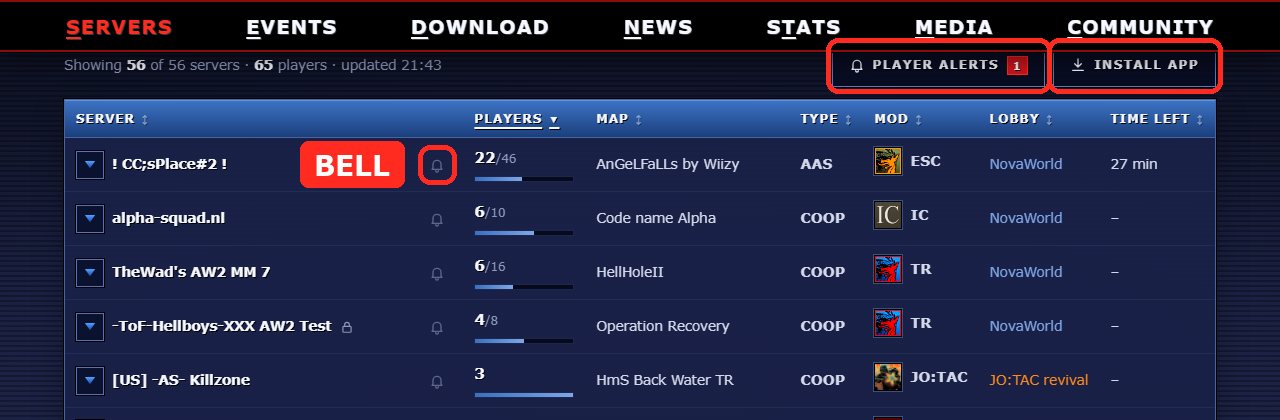
Every server has a little bell. Tap the bell next to the server you want. Here it is our own server.
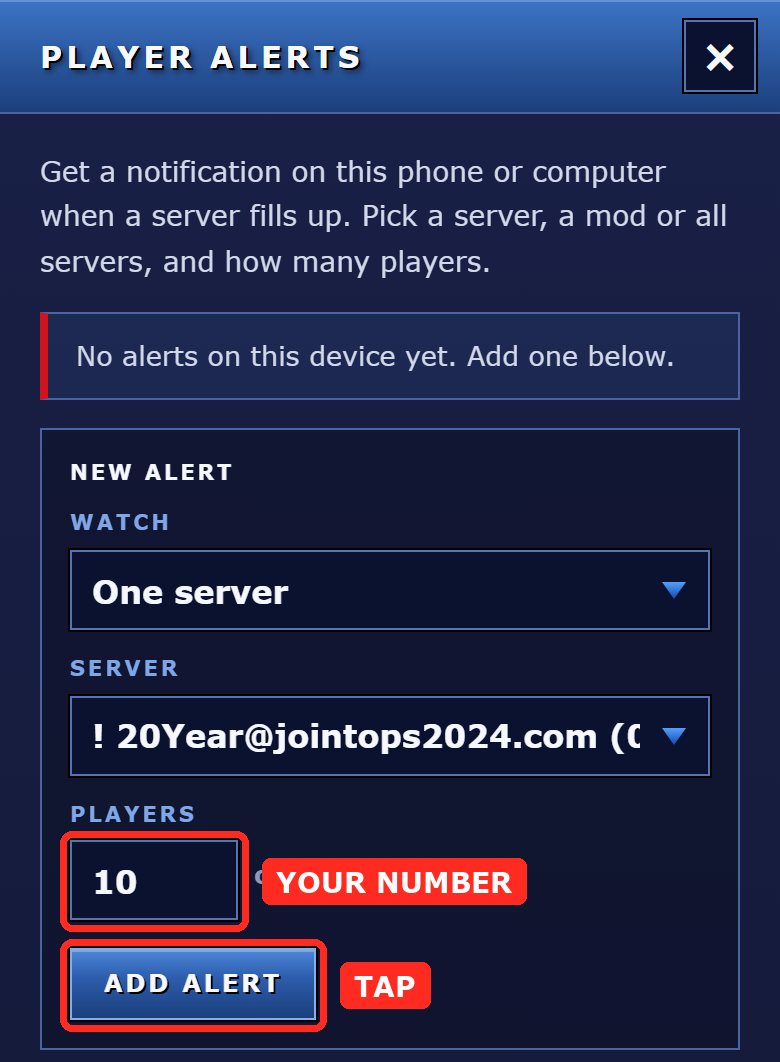
Step 4: Type your number, tap ADD ALERT
Type how many players you want. 10 means: “Tell me when 10 or more players are on this server.” Then tap ADD ALERT.
Step 5: Tap “Allow”
Your phone or browser asks: “Allow notifications?” Tap Allow. If you tap Block, it cannot ping you.
Step 6: Done! Now test it
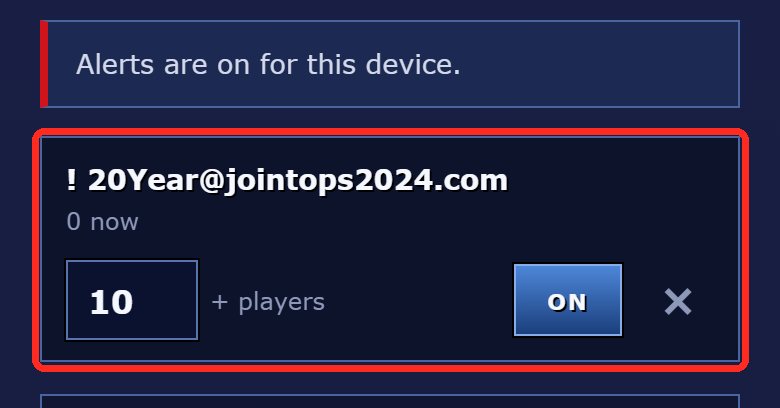
Your alert is in the list now. ON means it is working.
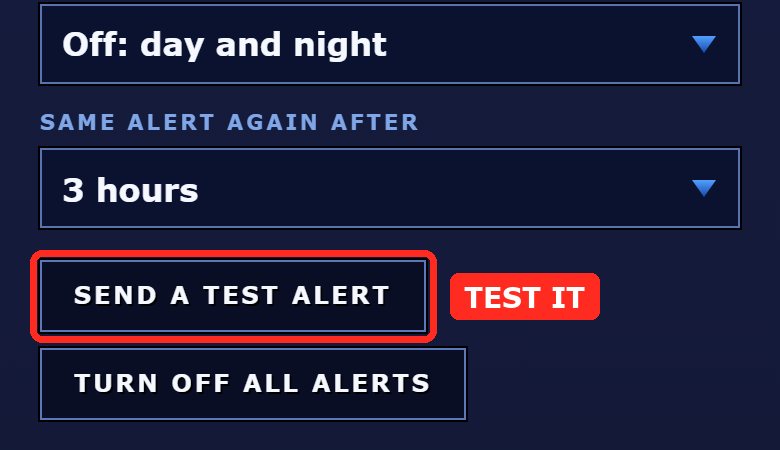
Scroll down and tap SEND A TEST ALERT. A message pops up after a few seconds? Then everything works.
What you get
When your server reaches your number, a message like this pops up:
12 players on ! 20Year@jointops2024.com
AS - Cargo Station · AAS · ESC · NovaWorld
Your alert: this server at 10+
Tap it and the server list opens. Start the game and join!
No spam: you get one message. The next one only comes after the server got emptier and filled up again, and not before 3 hours (you can change that).
More tricks
- More servers: tap more bells. You can have up to 10 alerts.
- A whole mod: open PLAYER ALERTS, at “Watch” pick Any server of a mod, for example AW2 or JO:TAC.
- All of Joint Ops: pick All servers together. 40 means: ping me when 40 people play Joint Ops anywhere.
- Sleep in peace: set Quiet hours, for example 23:00–07:00. No pings at night.
- Other number: just type a new number in your alert.
- Pause: tap ON (it turns OFF). Delete: tap the ×. Stop everything: TURN OFF ALL ALERTS.
On a PC it looks like this
Same buttons: PLAYER ALERTS and INSTALL APP on top of the list, and the bell next to every server.
It does not work?
- iPhone: did you open JO Servers from the Home Screen icon? In Safari it cannot work.
- Nothing pops up: you probably tapped Block. Allow notifications for jointops2024.com in your browser (tap the icon left of the address), then reload the page.
- Android: check that Chrome may show notifications (phone settings → Apps → Chrome → Notifications). A battery saver can make pings late.
- New phone or other browser: every phone and every PC has its own alerts. Set them up there too.
Still stuck? Ask us on Discord.
CU in Game,
Your SPAGHETTI
Be the first to comment